> For the complete documentation index, see [llms.txt](https://guide.openfoodnetwork.org/llms.txt). Markdown versions of documentation pages are available by appending `.md` to page URLs; this page is available as [Markdown](https://guide.openfoodnetwork.org/greek/basic-features/shopfront/vouchers.md).
# Vouchers
Voucher codes can be created to offer shopping discounts to new or existing customers. Voucher functionality is still relatively limited, please read through [this guide before implementing vouchers in your shop process](/greek/hub-management-tips/how-tos/vouchers-v.-tags.md).
{% hint style="info" %}
Vouchers is in 'beta' mode, meaning it's a new feature that may still have some glitches. Please [contact us](https://www.openfoodnetwork.org/find-your-local-open-food-network/) with any feedback about what works, what needs improving or how it could be better explained.
{% endhint %}
{% hint style="success" %}
Visit these pages for a step-by-step guide to using the Vouchers feature to:
* offer a percentage discount via a[ social media campaign](/greek/hub-management-tips/how-tos/running-a-social-media-promotion.md)
* [sell and manage gift vouchers](/greek/hub-management-tips/how-tos/how-to-create-gift-vouchers.md)
{% endhint %}
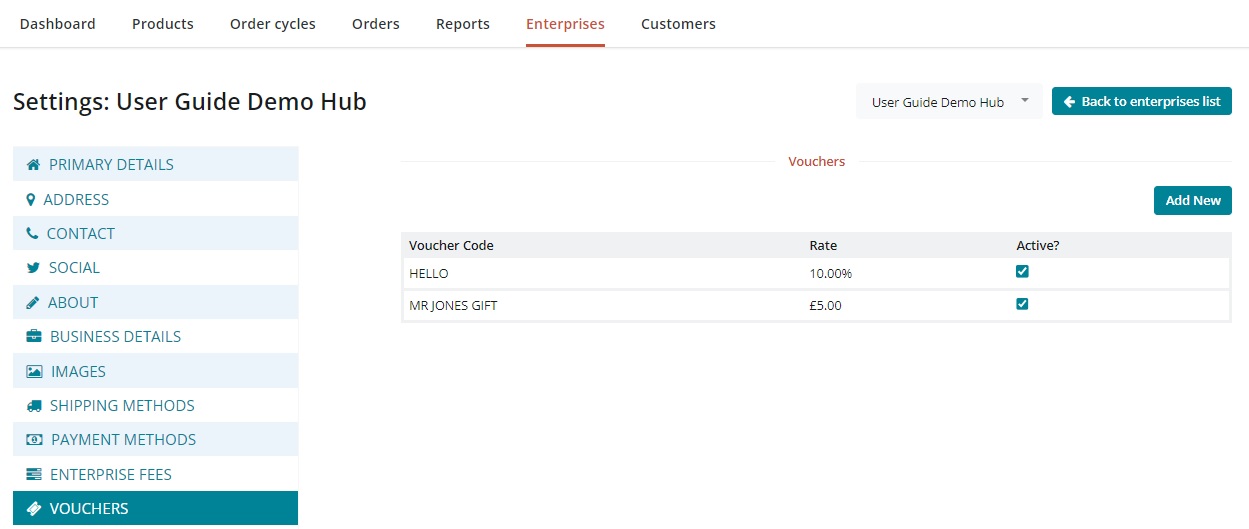
Set up and manage vouchers in the **Vouchers** tab in your [Enterprise Settings](/greek/basic-features/enterprise-profile/enterprise-settings.md).
## Setting up a voucher
* Go to 'Vouchers' by clicking on **Enterprises** in the main menu at the top of the page and then click **Settings** next to your enterprise. The **Vouchers** page is found in the menu on the left hand side
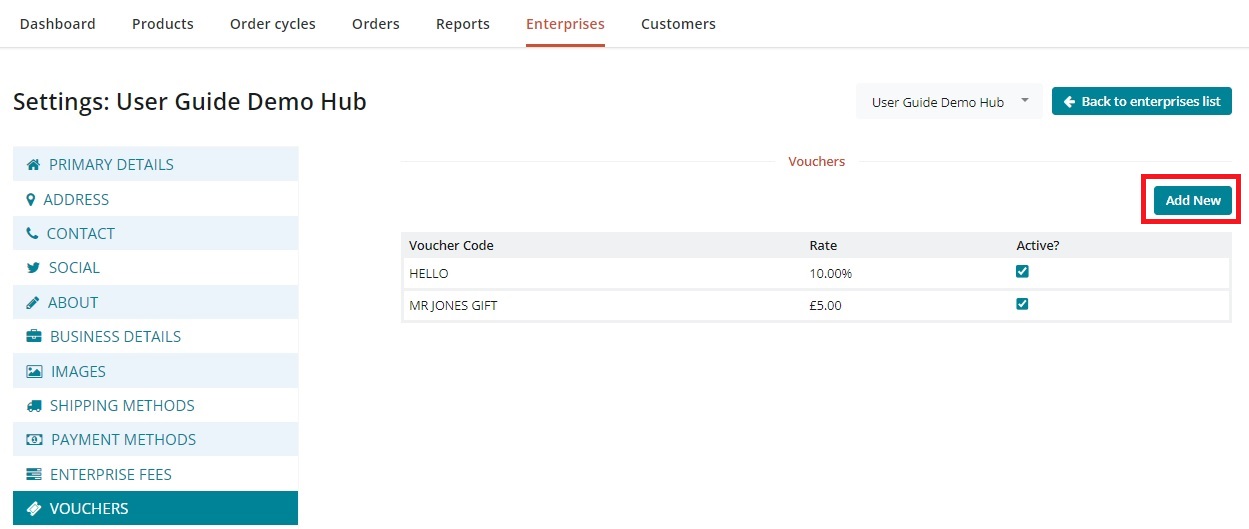
* Click **Add New** in the top right of the vouchers page to be taken to the new vouchers page
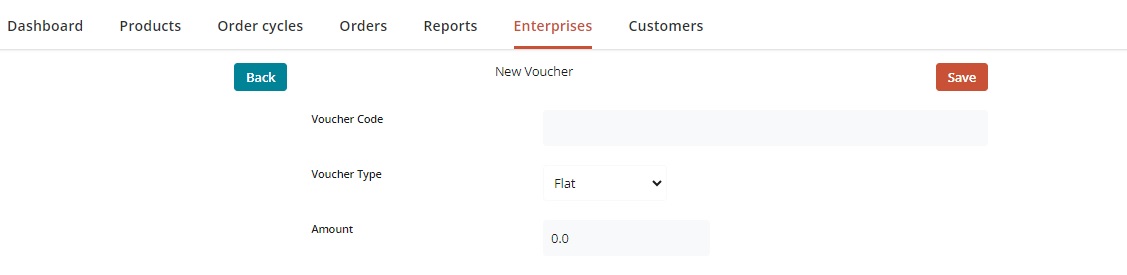
* **Voucher Code** - the code customers will enter to receive a discount. Code is string matched, so double check the spelling, spaces and numbers.
* **Voucher Type-** There are two options here: Flat (for a flat rate discount) and Percentage (so someone can have a percentage discount).
* **Amount** - The numeric percentage or flat rate you wish the discount to apply.
* Click **save** to create the voucher.
{% hint style="warning" %}
New vouchers will be created as active. If you do not want your voucher to be active, switch it off using the steps below
{% endhint %}
## Managing vouchers
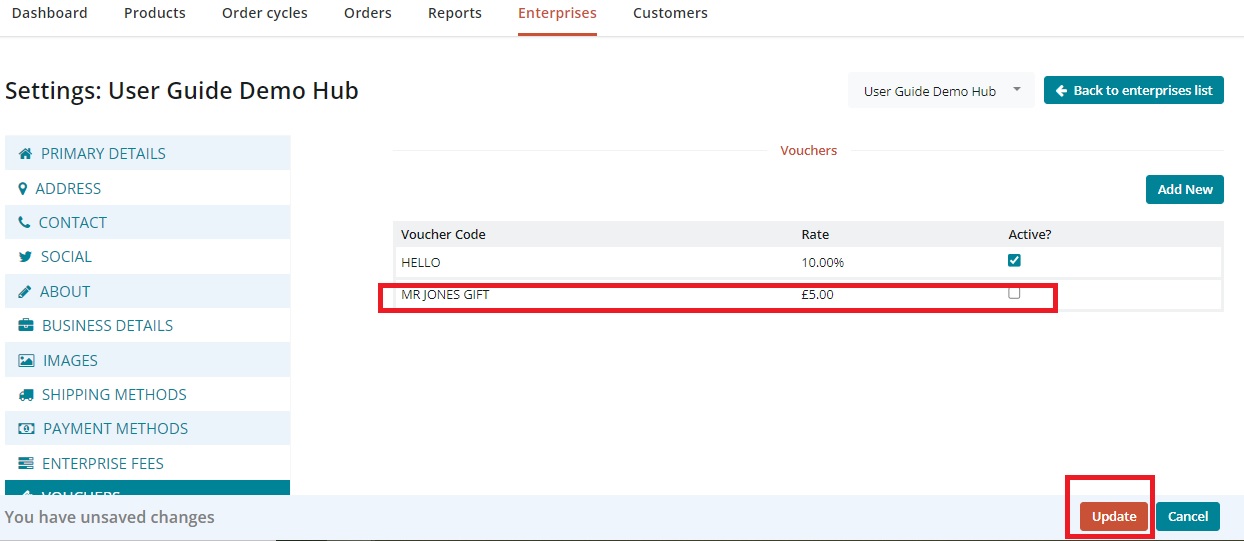
Vouchers can be turned off and on as needed by enterprise managers.
{% hint style="warning" %}
Voucher codes will not automatically switch off after customer use
{% endhint %}
In the **Vouchers** page in Enterprise Settings, use the checkbox against each voucher code to deactivate or reactive your vouchers.
Click **update** to save changes
## Customer facing use
Customers will need the exact code as entered in the Voucher Code field of set up (above).
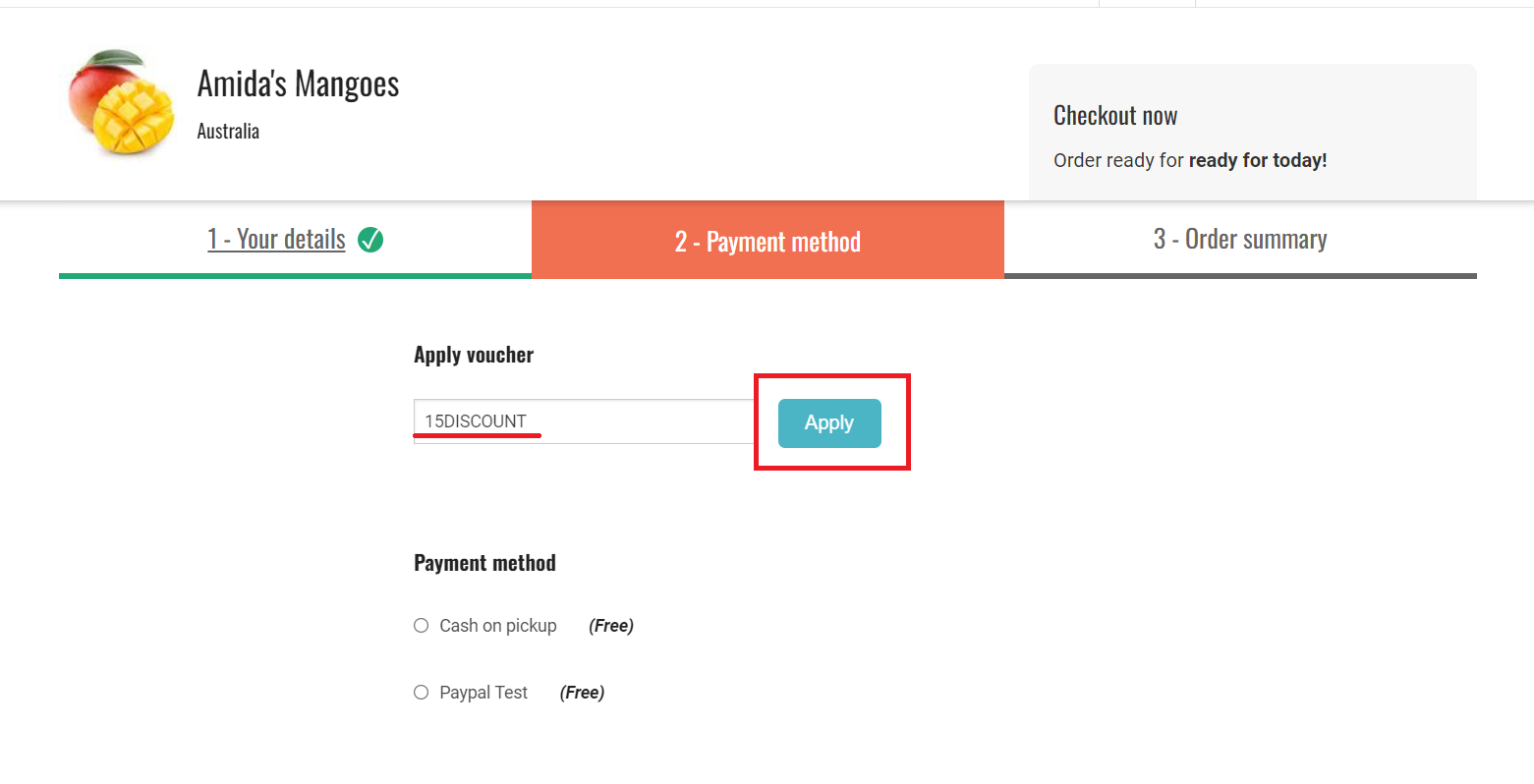
In step 2 of check out, **Payment method**, customers can enter the voucher code to have it applied to their order.
{% hint style="info" %}
Only 1 voucher code can be applied per order
{% endhint %}
After applying the code, continue through check out to finalise the order
{% hint style="info" %}
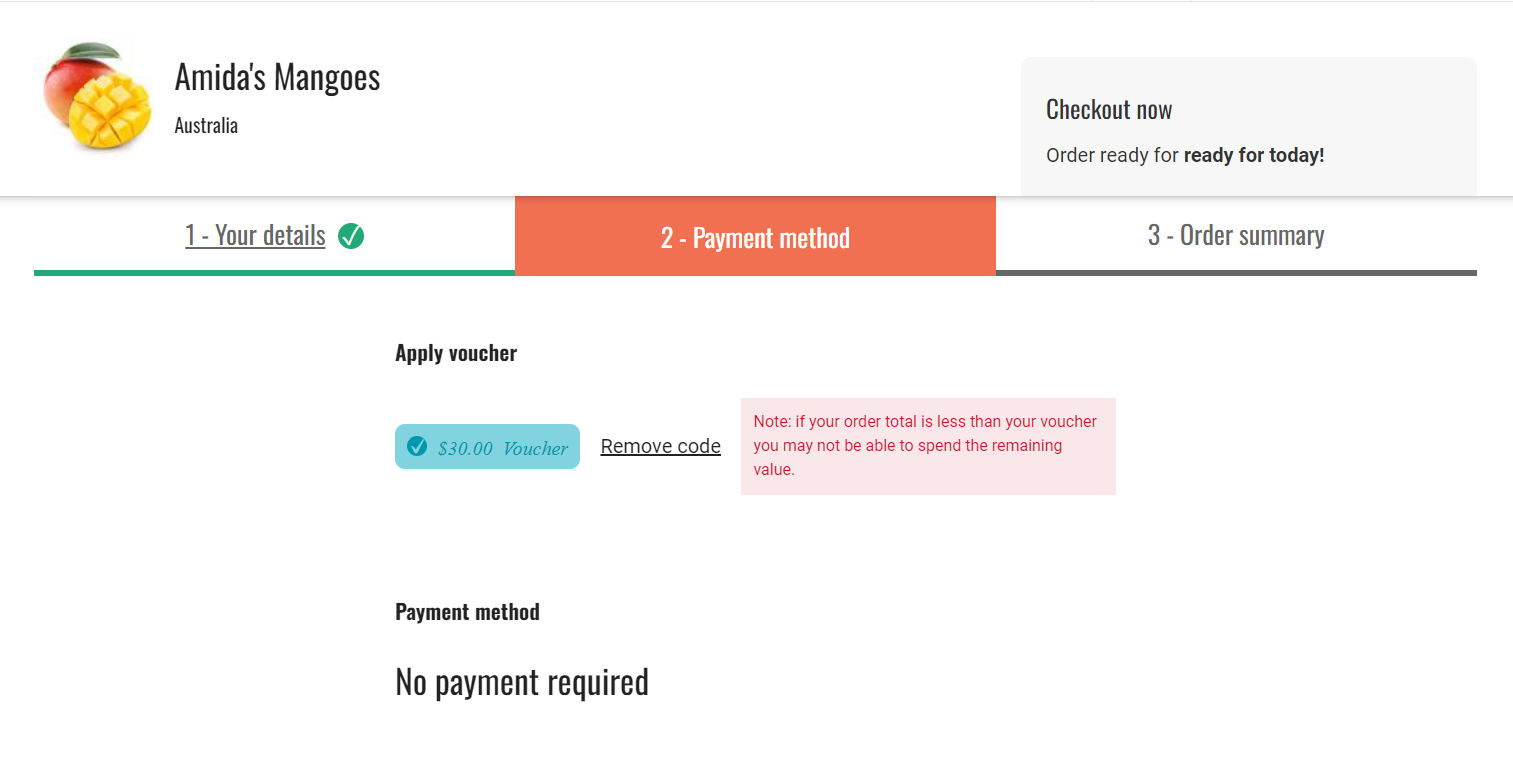
If the voucher brings the **order total cost to zero**, or below, the customer will not be prompted to enter payment method or details. *See screenshot below*
{% endhint %}
{% hint style="warning" %}
If only part of the voucher is used (**order total becomes negative**), the remaining credit will not be carried over to the customers next order.
{% endhint %}